In case you have lost your previous number associated with your OPA account you can use your email to recover your account. Follow the steps given below to recover your account via email id and then add your new mobile number to the same.
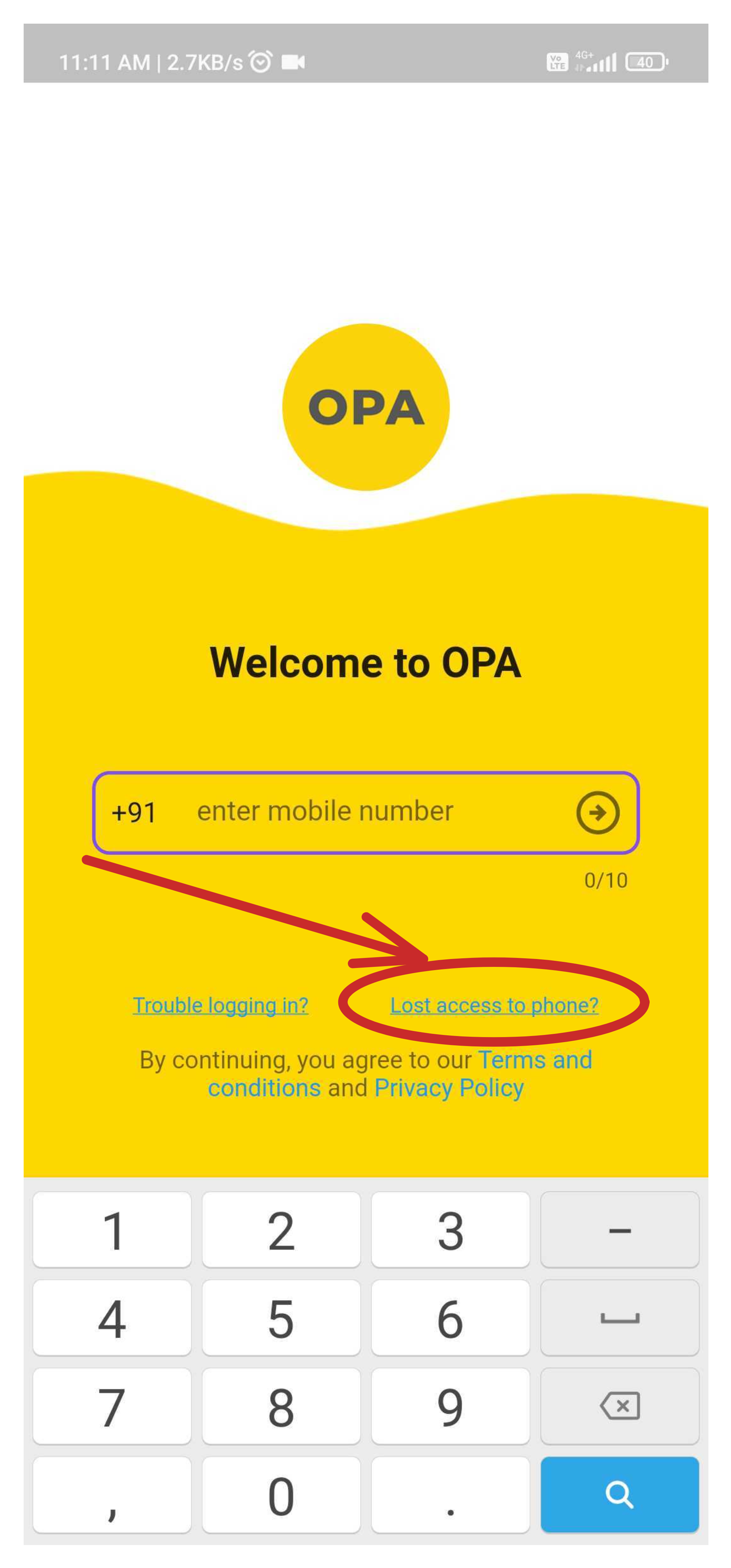
- click on the "Lost access to phone" link as shown below.
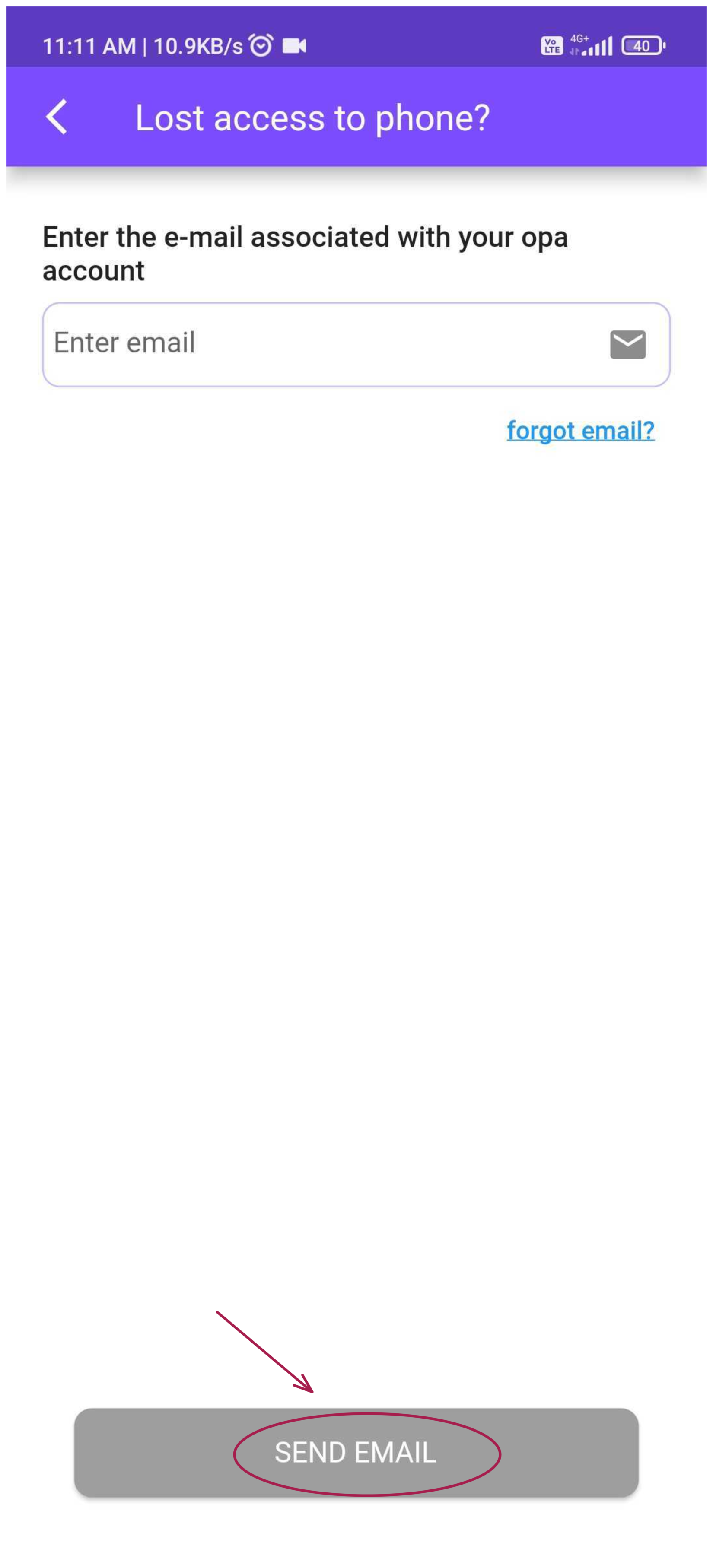
- Enter the email id associated with your account as shown below
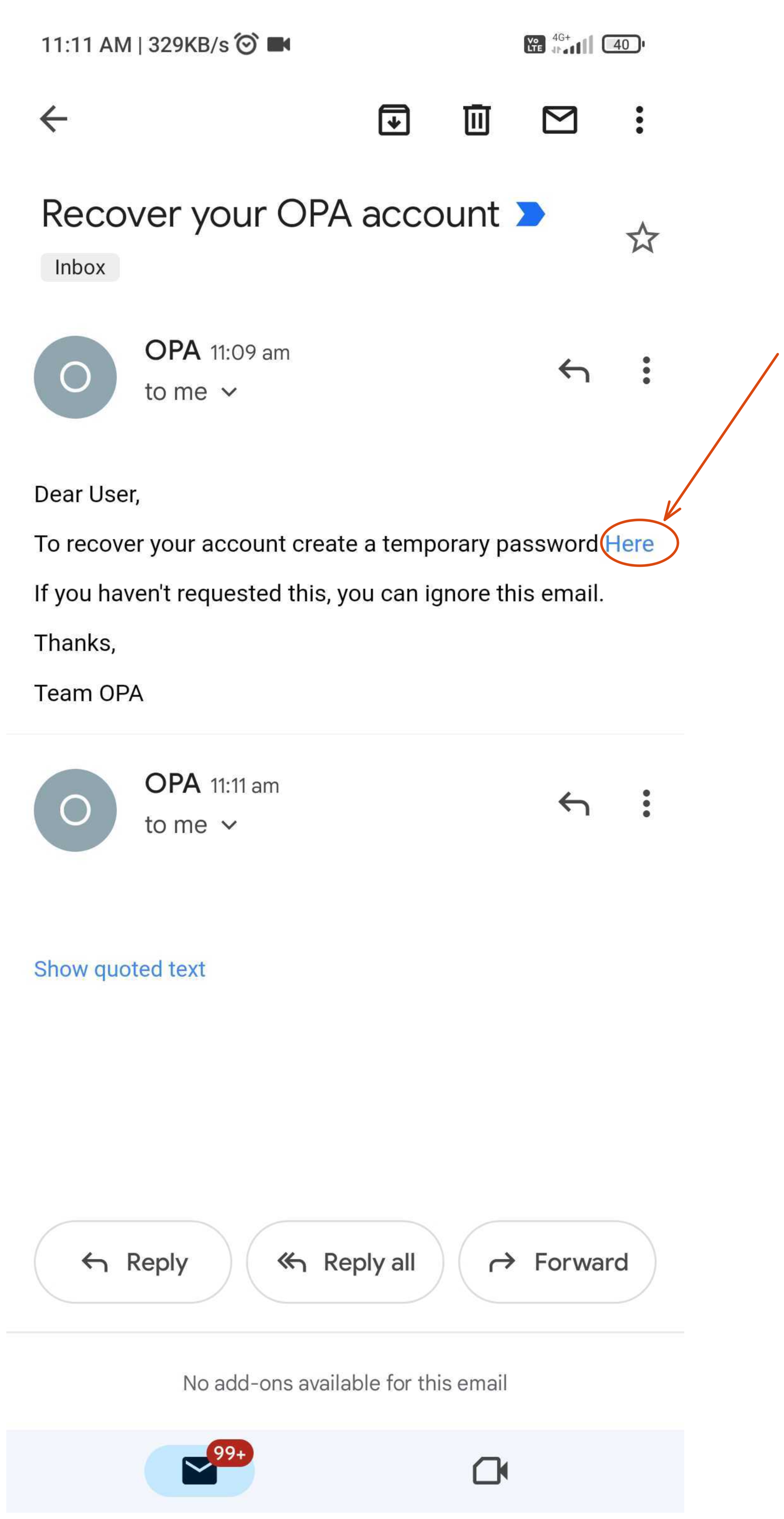
- Open your email and click on the link in the email as shown
- Create a temporary password as shown
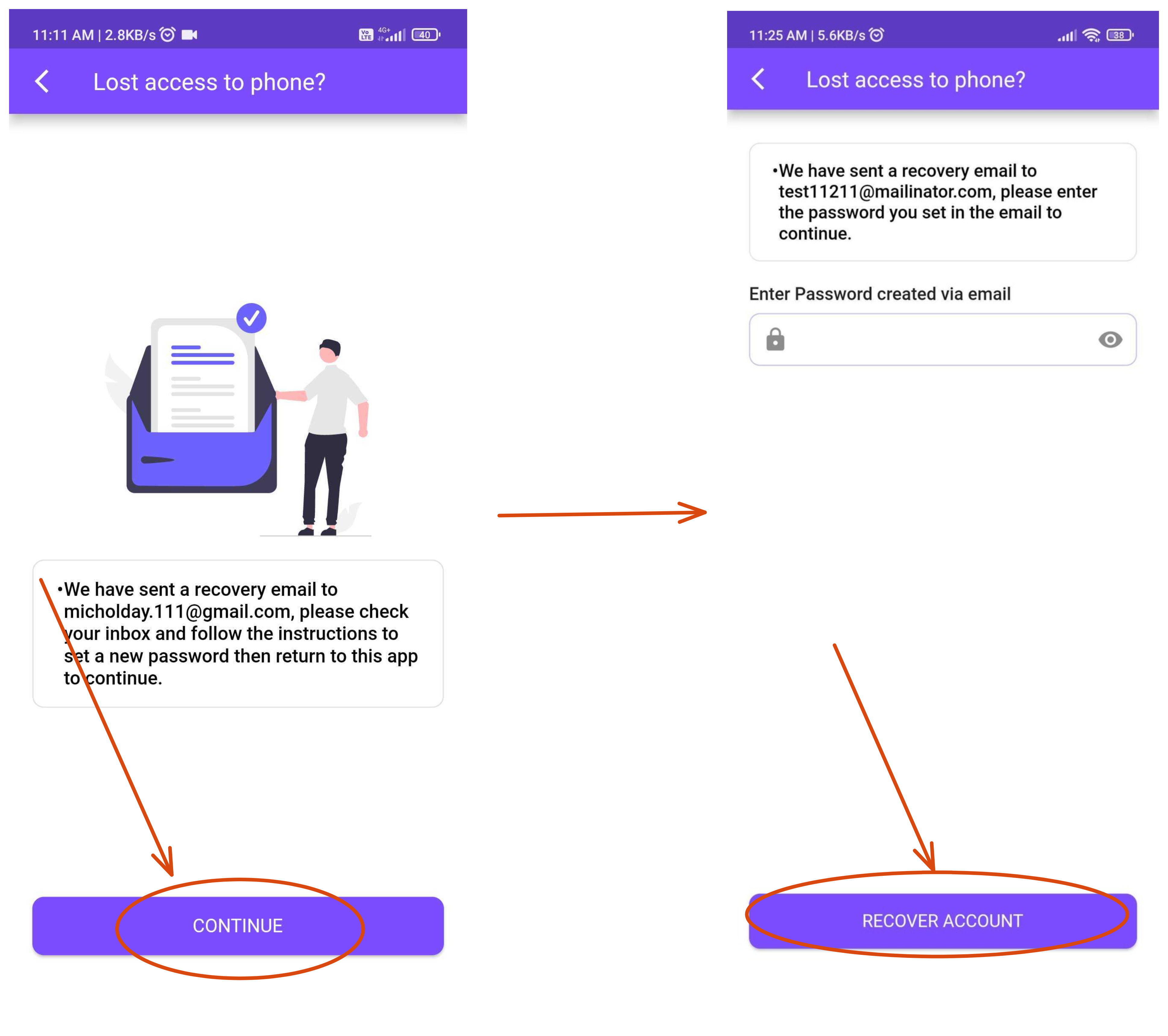
- Go back to the app and enter the password
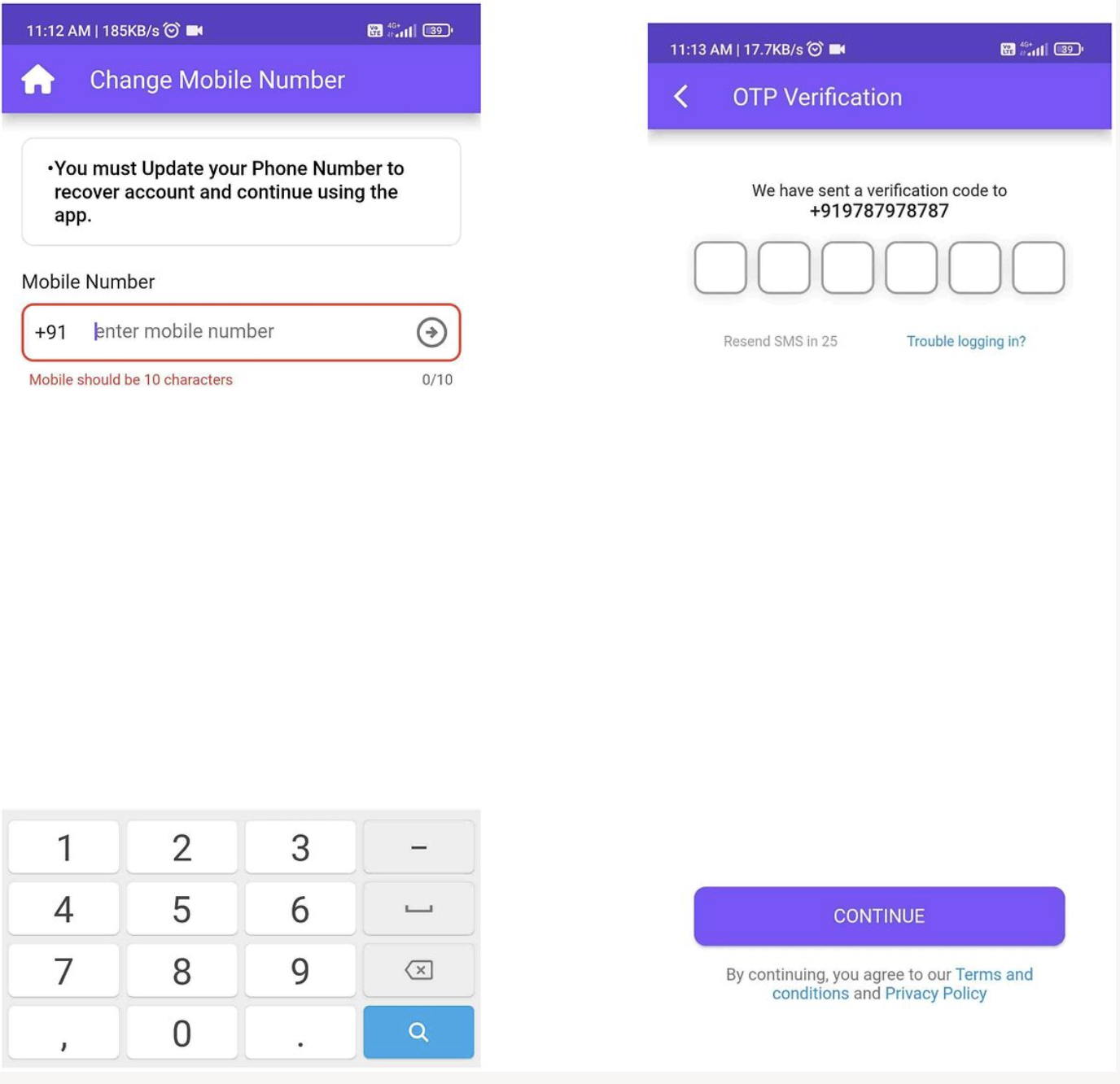
- Now add your new mobile number and verify the same as shown below
Note: You can associate the Instagram/YouTube/Amazon profile with only 1 OPA account. So if you are creating a new account, you may not be able to associate the social profiles currently associated with another OPA account. Learn how to solve this here.
Was this article helpful?
That’s Great!
Thank you for your feedback
Sorry! We couldn't be helpful
Thank you for your feedback
Feedback sent
We appreciate your effort and will try to fix the article